
Using Landed Cost in ALERE
ALERE v20 introduced a new landed cost feature to the ALERE Purchase module, enabling better allocation of external costs related to inventory procurement. This allows users to roll additional costs, such as insurance, customs duties, tariffs, taxes, and port handling fees, into the inventory value.
Landed Cost works seamlessly with both Average and FIFO costing methods. To access these new screens and post transactions, users will need the PMPA permission.
How It Works
The application of landed costs is managed through a new field on the Accounts Payable (AP) document in the Purchase module. Depending on how the costs from an AP are distributed, this field may have one of three categorizations applied to it:
- Standard: An AP not tied to a purchase order or inventory receipt (e.g., an electric bill or a yet to be categorized fee).
- Landed Cost: An AP derived from a PO that included a line-item charge alongside the inventory itself (e.g., a pre-negotiated freight charge on the PO).
- Landing Fees: An AP that has already been linked to a PO and had its costs distributed across the relevant inventory.
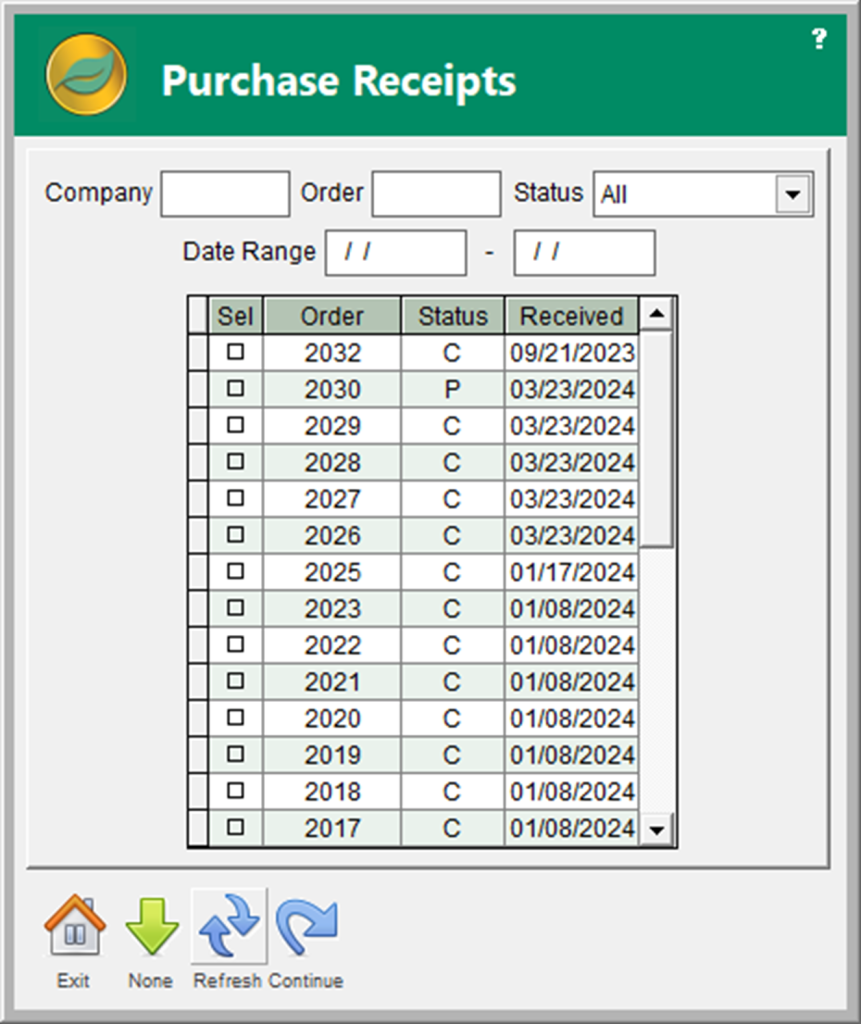
To distribute an AP’s cost across an inventory receipt, simply click the pencil and paper icon or double-click the field. For POs that are or will be classified as Standard APs, ALERE opens the Purchase Receipts screen first.
For Landed Cost APs, ALERE will jump straight to the Landed Cost screen.
APs categorized as Landing Fees will display the Landed Cost screen, showing the distribution of the AP across received inventory for auditing purposes. The distribution cannot be changed from this screen.
Distributing Costs
On the Purchase Receipts screen, select one or multiple purchase orders. This process enables users to link multiple purchase orders to a relevant AP for later reporting and pulls in the materials, quantities, and costs of the received inventory.
After making the selections and clicking Continue, the Landed Cost screen will appear, where you will decide how to distribute the cost of the selected purchase orders:
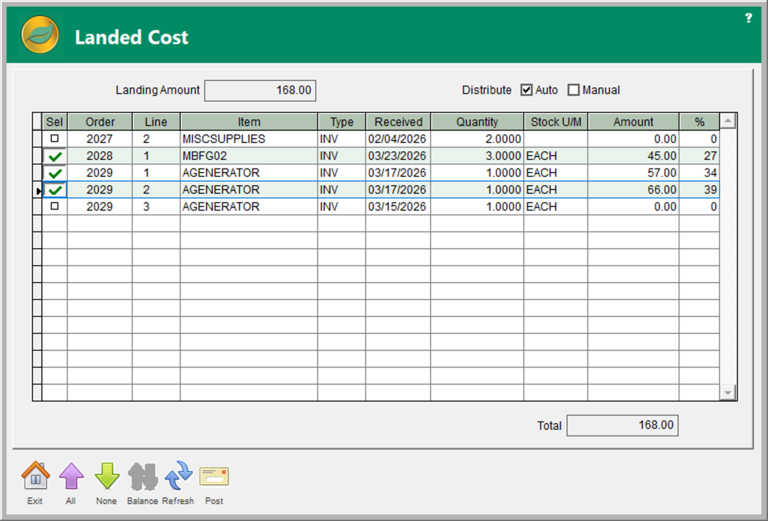
There are two built-in options for distributing costs:
- Auto: Splits the Landing Amount across line items based on each item’s share of total PO cost.
- Manual: Lets you manually distribute a specific dollar amount or percentage across each received line item.
Note: Items with the item type “SHIP” are excluded from Auto distribution and should not be manually assigned a value.
Once the Total matches the Landing Amount, press the Post button to update the inventory costs. If the Landing Amount and Total do not balance, ALERE will display a warning and prompt the user to rebalance the entries before allowing the posting.
What ALERE is doing behind the scenes
Depending on the costing method and inventory settings, a posting may trigger different updates:
- Average cost installations will have the selected items inventory costs re-averaged.
- FIFO installations will re-average costs within the specific tiers tied to the selected POs, preserving their order.
- If the related cost tier of FIFO inventory has already sold through, either partially or completely, before the cost update, ALERE automatically posts the variance to the Cost of Goods account.
- Installations with lot-costed items will have their lot cost re-averaged.